
I recently had the opportunity to participate in the development of a large-scale AutoCAD Plant 3D project. Given that Plant 3D models can be highly memory-intensive, I first consulted the project lead to determine the minimum workstation specifications required. Owing to a well-structured modelling strategy and the careful subdivision of the facility into manageable model segments, the recommended requirement for my participation was limited to 48 GB of RAM, a specification that my workstation fortunately meets.
As a BIM Consultant with extensive Revit experience, I am accustomed to implementing model management strategies that improve performance and scalability. In Revit, this typically involves dividing projects into zones, levels, and worksets to maintain manageable model sizes and optimize memory utilisation. While I am relatively new to Plant 3D, exposure to a professionally managed Plant 3D project has provided valuable insight into how large datasets are structured and administered within the platform.
The underlying principle is conceptually similar to Revit. The plant is subdivided into logical zones and, where appropriate, levels, with each area represented by an individual Plant 3D drawing file. These files are then federated through external references (Xrefs). In cloud-hosted projects, Plant Collaboration functionality is generally used, with the Attach command employed to incorporate referenced drawings. The model is typically segregated into major disciplines, including Structural, Equipment, Tanks, and Piping, thereby reducing the size and complexity of individual model files.
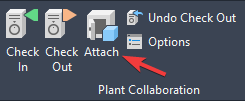
To better understand the software’s behaviour, I conducted a performance test on my workstation by attaching every model file in the project into a single drawing. The resulting memory consumption approached, but did not exceed, the available 48 GB of RAM, and therefore the workstation did not experience memory resource exhaustion.
Subsequently, I investigated whether unloading selected Xrefs would release memory back to the operating system. Surprisingly, my testing indicated that unloading Xrefs does not immediately remove the associated model data from RAM. Instead, it appears primarily to reduce the graphical processing burden by preventing unloaded references from being displayed and regenerated. Memory utilization remained largely unchanged until the drawing was saved, closed, and subsequently reopened, at which point the RAM consumption decreased significantly.
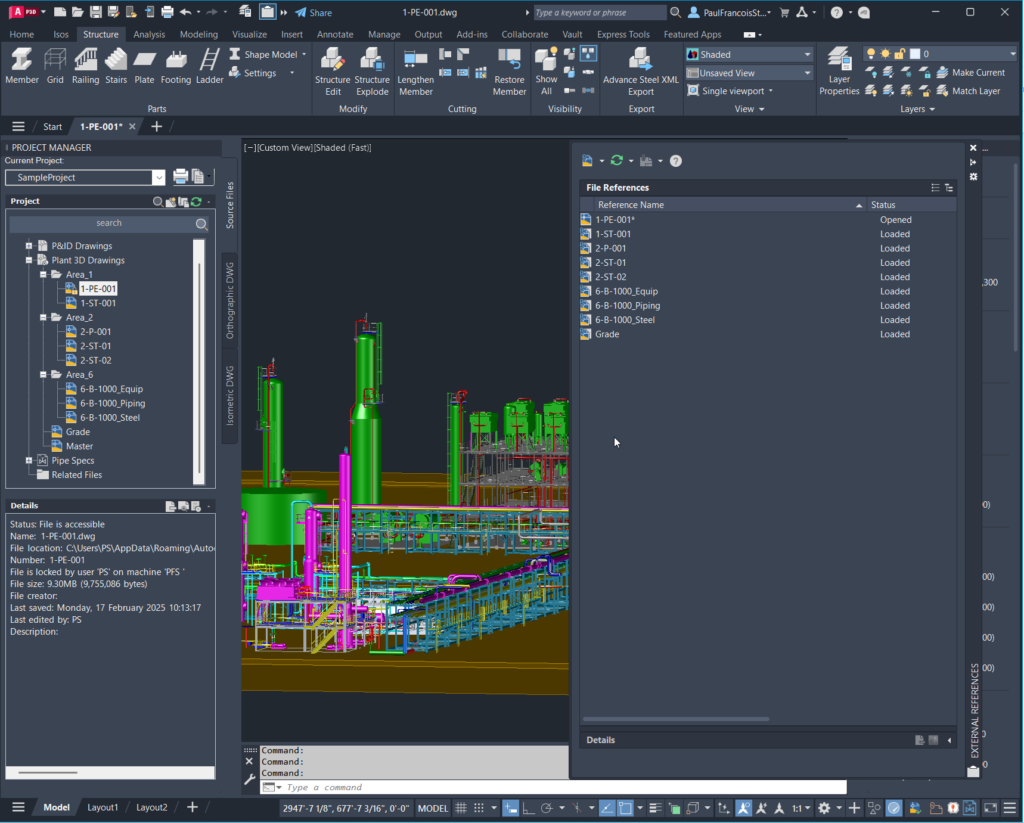
For large-scale Plant 3D projects, the ability to dynamically load and unload model data from memory is a critical performance consideration. Consequently, users working with extensive plant models should be aware that unloading Xrefs alone may not reduce memory consumption during a session. Achieving a meaningful reduction in RAM utilization may require saving, closing, and reopening the drawing after modifying the set of loaded references. As a result, model navigation and discipline switching within very large projects may require a degree of operational patience, particularly when selectively enabling and disabling Xrefs to focus on specific areas of the facility.
A logical question at this point is how one should effectively review and navigate the plant in its fully federated state.
One approach would be to simply increase available hardware resources and load all project Xrefs simultaneously. Whilst modern workstations equipped with substantial memory and high-performance processors can accommodate significantly larger datasets, this strategy is ultimately constrained by the practical limits of workstation hardware, project growth, and diminishing returns on investment. Even the most capable workstation will eventually encounter performance bottlenecks when processing sufficiently large, federated plant models.
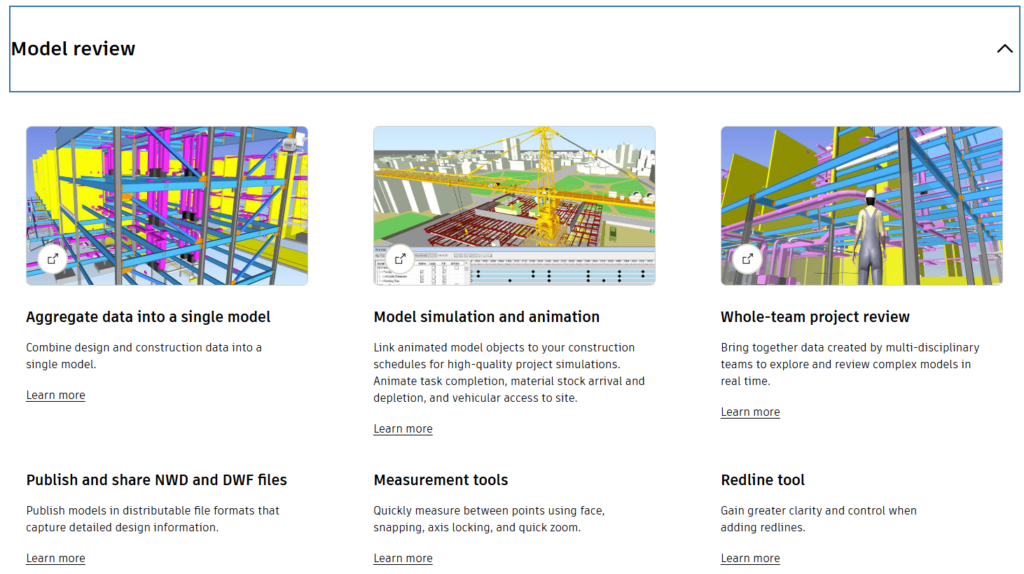
A more efficient and scalable approach is to utilize Autodesk Navisworks as the primary model review and coordination environment, assuming the project team has access to the appropriate Navisworks subscription. Navisworks is specifically designed for aggregating and visualizing large multidisciplinary datasets and is considerably more memory-efficient when handling federated models than opening the equivalent geometry directly within Plant 3D.
In a typical workflow, individual Plant 3D discipline models—such as Piping, Equipment, Tanks, Structural Steelwork, and Civil Works—are published to Navisworks and combined into a single federated coordination model. This enables project participants to inspect the complete facility, perform clash detection, review constructability, conduct design coordination meetings, and navigate the plant in a realistic three-dimensional environment without requiring every discipline model to be actively loaded within a Plant 3D editing session.
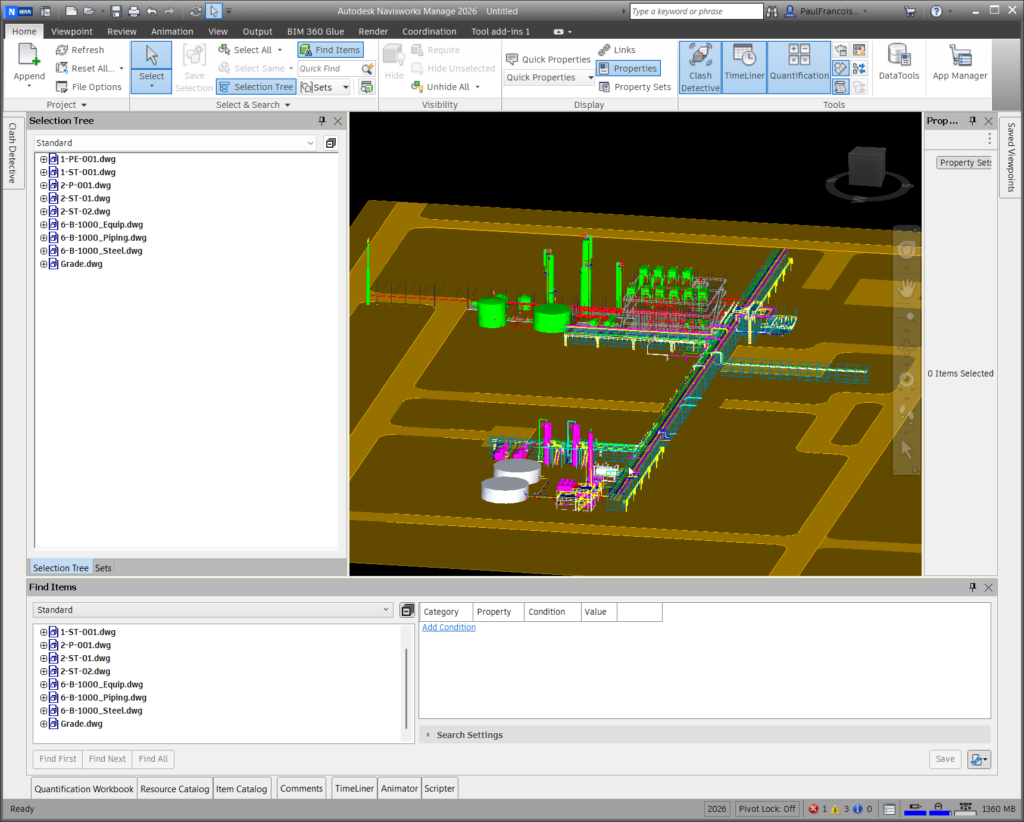
Consequently, Plant 3D can remain focused on discipline-specific modelling activities, while Navisworks serves as the platform for project-wide visualization and coordination. This separation of responsibilities results in improved workstation performance, reduced memory consumption during modelling tasks, and a more practical workflow for managing large-scale industrial facilities throughout the design lifecycle.
Does participation in large Plant 3D projects therefore require every team member to maintain a Navisworks subscription? Not necessarily.
In many project environments, it is sufficient for a single project participant—or a small group of coordinators—to possess a licensed copy of Autodesk Navisworks Manage or Navisworks Simulate. These users can aggregate the various discipline models into a federated coordination model, perform clash detection, and publish the results as an NWD file for consumption by the wider project team.
The NWD format is specifically designed for model dissemination and review. It encapsulates the federated model in a compressed, read-only format that can be distributed to stakeholders without requiring access to the original Plant 3D project files or the associated Xrefs.
The remaining project participants can then install Autodesk Navisworks Freedom, which is available at no cost. Using Navisworks Freedom, users can navigate the federated model, inspect plant layouts, review multidisciplinary coordination, and visualize the complete facility without imposing the memory and processing demands associated with loading all project models directly within Plant 3D.
Stakeholders who do not possess a Navisworks Manage subscription can still participate in clash review processes by using the free Navisworks Freedom viewer, provided that the clash results have been exported and published from Navisworks Manage with clash viewpoints and result highlighting preserved. This enables non-authoring users to review identified coordination issues without requiring access to the clash detection tools themselves.
In my case I can run the full Navisworks Federated model and inspect elements within the Federated model so I can visualize what I need to do with plant 3D in context.
In my particular case, I am able to load and navigate the complete federated model within Navisworks. This provides valuable project context by allowing me to inspect the spatial relationships between disciplines, review adjacent equipment and structures, and understand how my assigned scope integrates with the broader facility design.
By leveraging the federated model as a visualisation and coordination platform, I can assess routing constraints, identify potential clashes, and evaluate constructability considerations before undertaking modelling activities in Plant 3D. This significantly reduces the need to load large numbers of Xrefs within Plant 3D itself and enables me to focus on the specific discipline models relevant to my work.
The workflow is therefore highly efficient: Navisworks serves as the project-wide model review and coordination environment, while Plant 3D remains the authoring platform for creating and modifying piping, equipment, and other process design elements. By using the federated Navisworks model to understand the overall design context, I can make more informed modelling decisions, improve coordination with other disciplines, and minimize the performance overhead associated with loading the entire plant within a Plant 3D editing session.
I also evaluated the alternative approach of referencing a coordination model in the form of an NWD file directly within Plant 3D. While this method does provide valuable contextual information, my testing indicated that the user experience and overall performance did not compare favourably with navigating the federated model natively within Navisworks itself.
When working directly in Navisworks, model navigation, view manipulation, object interrogation, and spatial coordination were noticeably more responsive. Navisworks is specifically optimized for the visualization and review of large federated datasets and therefore provides a considerably more efficient environment for exploring complex multidisciplinary plant models.
By contrast, referencing an NWD into a Plant 3D drawing still places Plant 3D in the role of both authoring and visualisation platform. Although the coordination model can be used as a contextual reference during modelling, the resulting workflow was less fluid and did not deliver the same level of performance or usability as the dedicated Navisworks environment.
Based on my observations, the most effective workflow is to use Navisworks as the primary coordination and model review platform, where the complete federated model can be navigated efficiently, and then use Plant 3D as the design authoring environment for the specific discipline models requiring modification. This approach provides the modeller with full project context while avoiding the performance penalties associated with loading extensive federated datasets into the authoring application.
In practice, I found that maintaining Navisworks on a second monitor while modelling in Plant 3D offered the best balance between performance, situational awareness, and productivity. The federated model could be interrogated within Navisworks to understand surrounding disciplines and spatial constraints, while Plant 3D remained focused on the active modelling tasks, resulting in a more efficient and responsive workflow overall.
If you need help adopting the AEC Collection or Autodesk Forma in your practice or you are looking to invest in hardware, please contact Micrographics so that we may be of assistance.

