
I purchased my own computer this year and was lucky enough to get myself an Nvidia Pro 2000 Blackwell graphics card with 16GB of VRAM. The main reason I got this card was because I got a big discount and I liked the idea that it had lots of a professional card with AI capability and lots of VRAM. I thought that it would play an integral part of my day-to-day modelling in Autodesk software, however it turned out that the graphics card was only really used when I was rendering my models. It felt to me that I was underutilizing this graphics card.
Depending on how my investigations into running AI locally progress, I might even consider purchasing an NVIDIA Spark computer in the future.
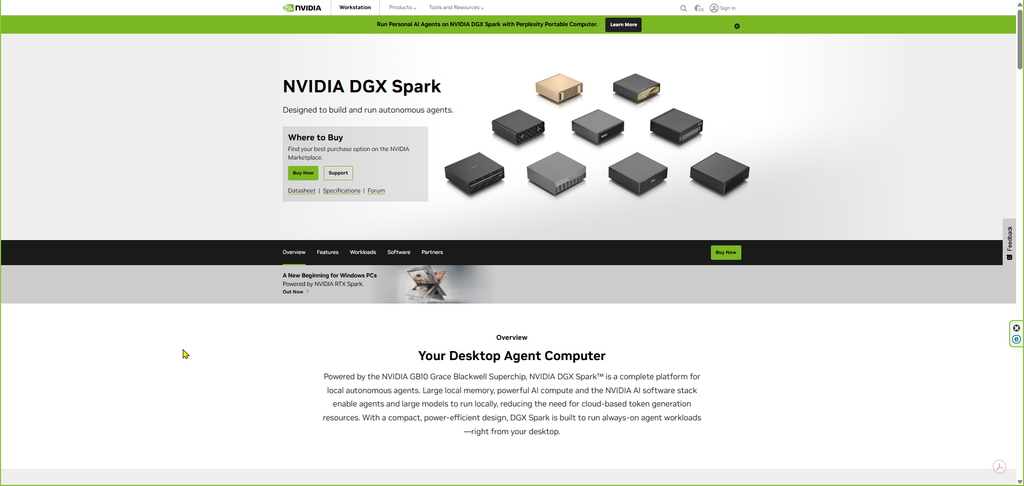
Then I investigated the topic of artificial intelligence and the Revit Experimental Model Context Protocol (Revit Experimental MCP). Throughout this process I use the Office 365 Copilot to advise and guide me.
Download the installation package for Revit Experimental MCP from your account. Navigate to Revit, click on View Details.
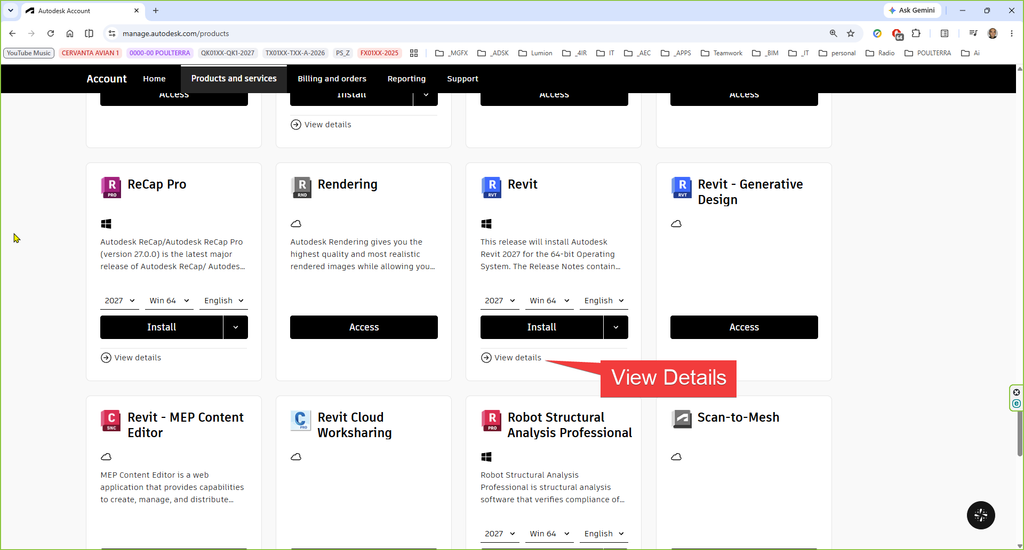
Go to Revit 2027 Extensions

Navigate to “Autodesk Revit 2027 MCP Server Experimental-Tools Technical Preview” and then hover your mouse over it to see the link to the Release Notes, then click on the link to open it. In addition to that, also download and install Autodesk Revit 2027 MCP Server Experimental-Tools Technical Preview.
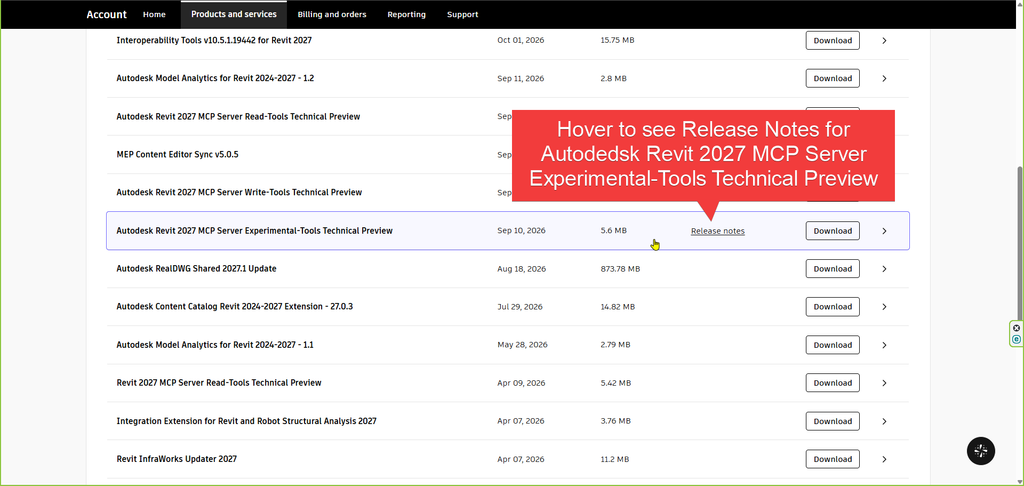
Two links are of special interest:
Autodesk Revit MCP Server / Setting Up Revit Public MCP Server
Autodesk Revit MCP Server / Tools and Language Support
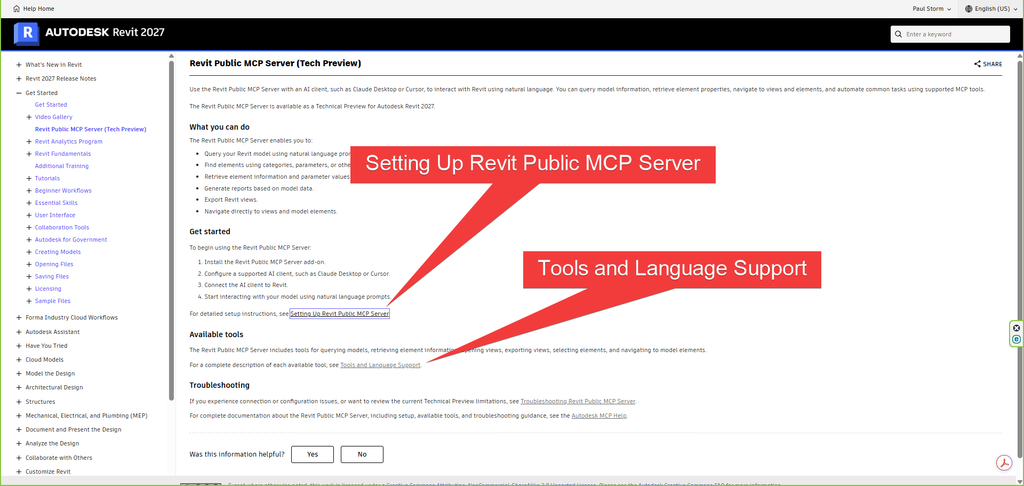
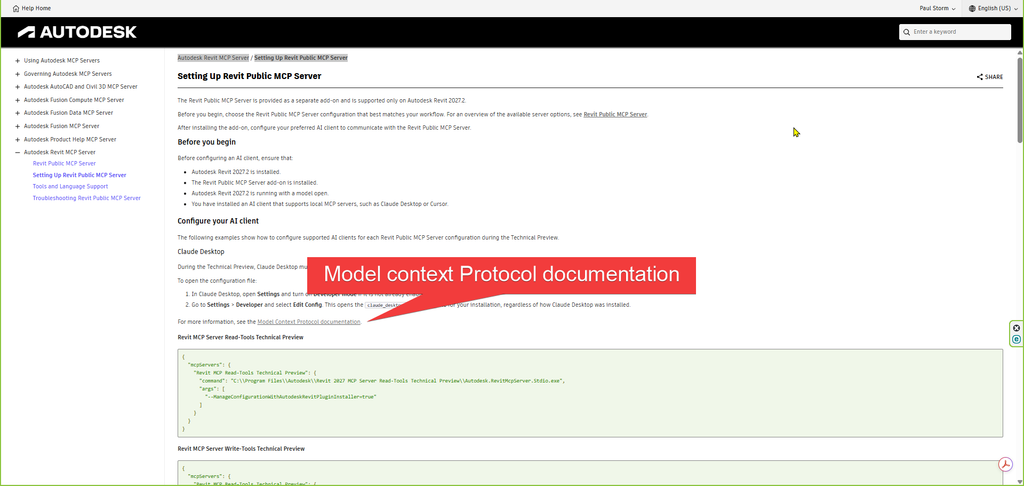
In Autodesk Revit MCP Server / Setting Up Revit Public MCP Server, you will see a link to Model Context Protocol documentation.
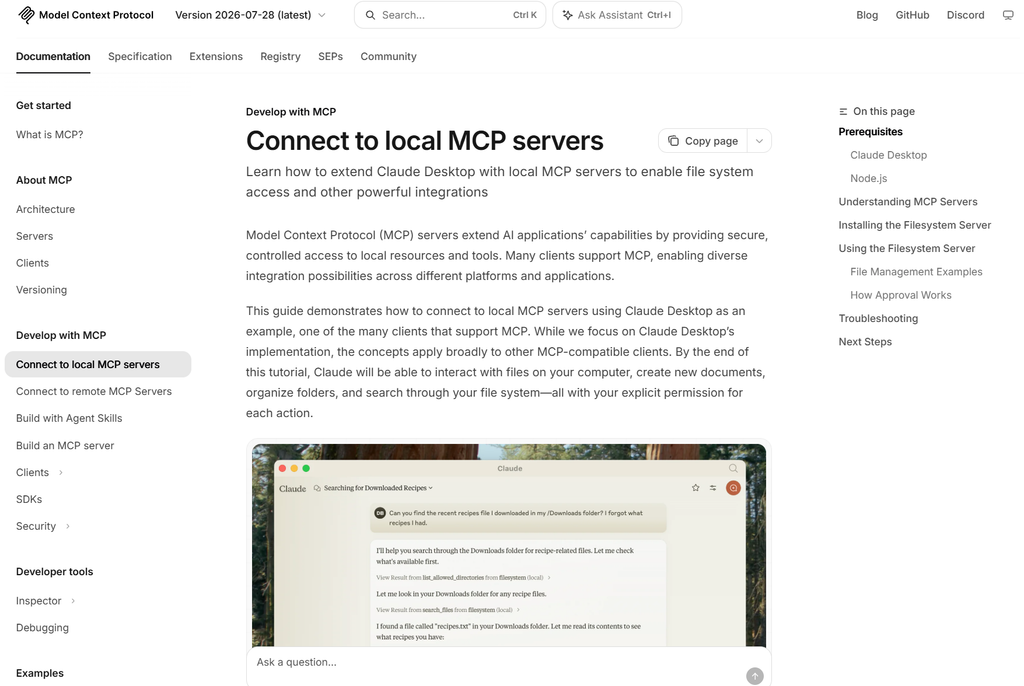
Here they use Claude Desktop with local MCP servers as an example.
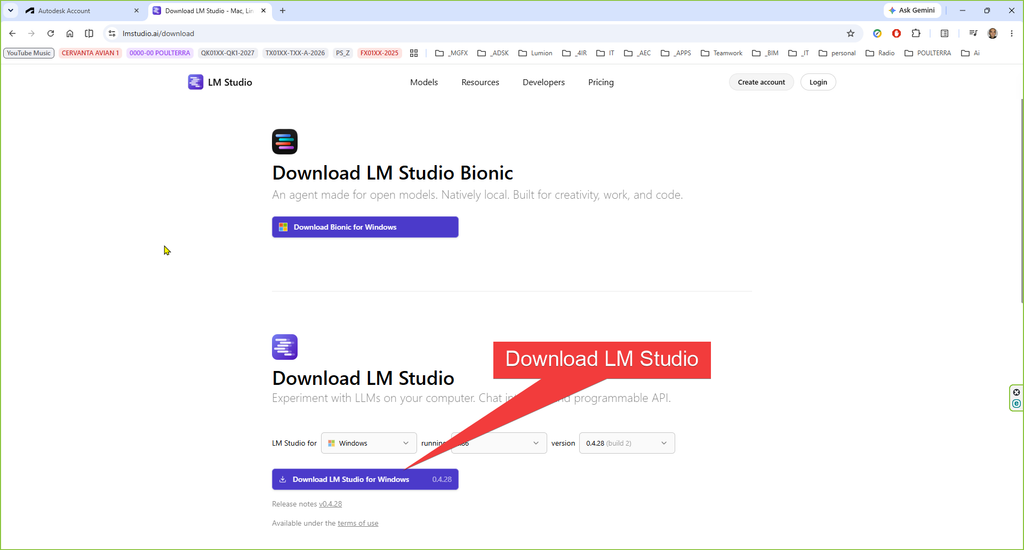
Initially, I did not consider Claude Desktop to use investigate and use the Revit Experimental MCP I installed LM Studio.
In the help documentation you can see the code thar you must add to the .json file.

You can see how, in my case, there are a few servers that I added. You can switch them on and off and check the tools that you want to use. I highlighted the Revit Experimental Tools by drawing a rectangle around them. You must have a Revit instance running to expose the Revit Experimental tools. If you now download a Large Language Model to run on your machine, then you can directly ask the model to perform actions for you (constrained by the tools available).

If the tools initially do not show, refresh them.

Because I have Copilot available to me, I prefer to ask Copilot to frame the questions for the LLM instead of asking the LLM myself.
For instance: “Use the actual Revit MCP tools to inspect the element currently selected in Revit. Report its Element ID, category, family/type, and current Comments parameter. Do not modify anything.”
And: “Using the actual Revit MCP tool modify_element_parameters, change only the Comments parameter of Element ID 356146 to Modified by Qwen MCP Test. Do not change any other parameter or any other element. After making the change, use get_element_data to verify the new Comments value.”
The LLM used here was qwen3.5-9b, although I have since downloaded other models and look forward to testing them on Revit. I am partial to Gemma 4 12B QAT, GPT-OSS 20B and Phi Reasoning Plus. They are rather large to download, and they require up to 16GB VRAM.
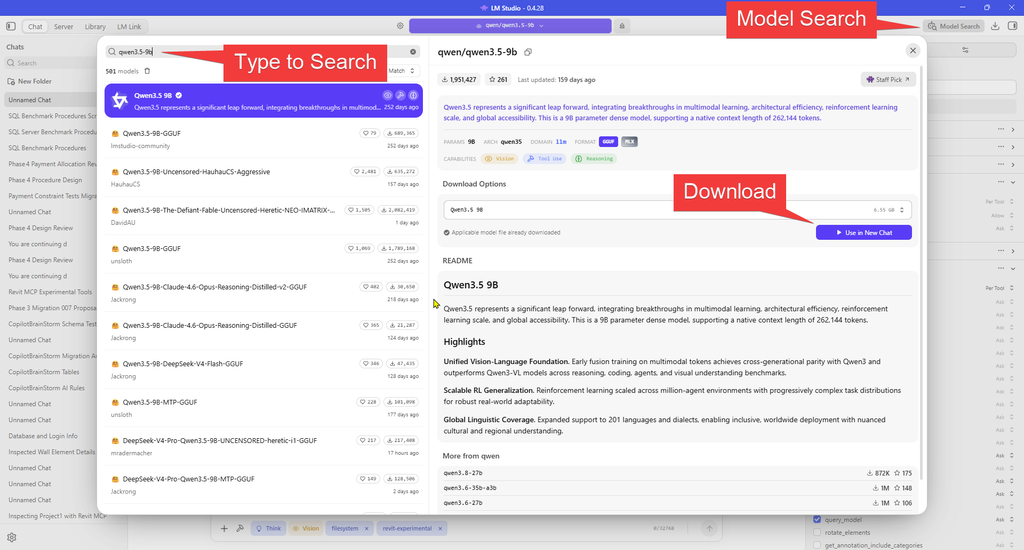
Use Model Search to find the relevant model and then download.
Choose the relevant parameters for your computer (get Copilot to assist you if you have access to it).
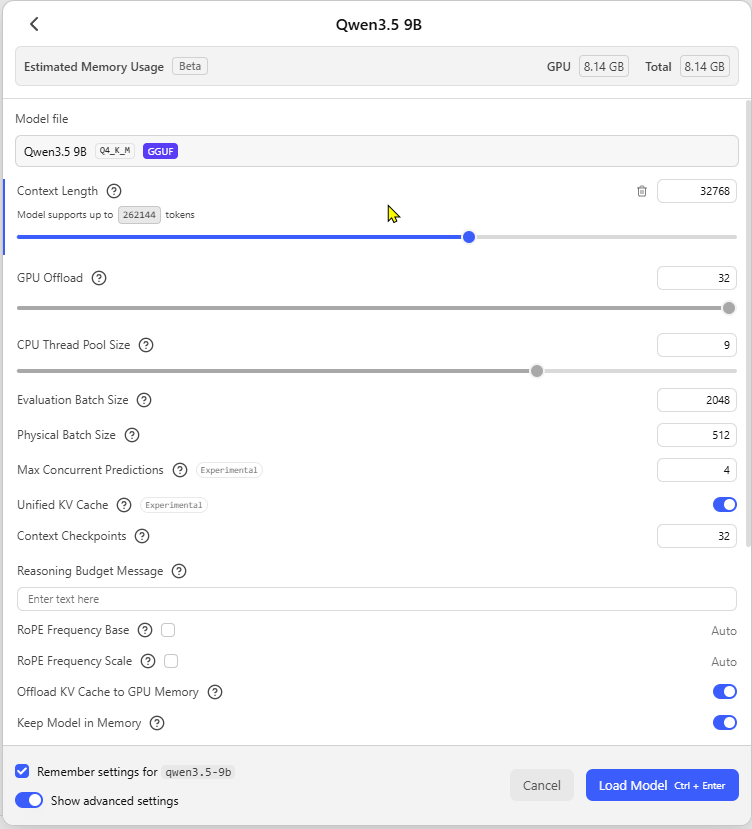
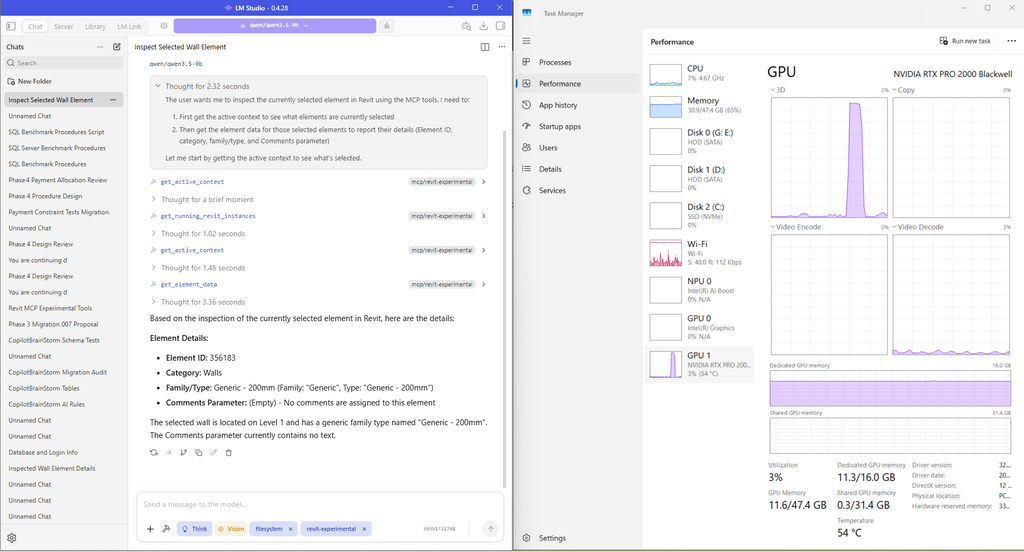
I like to keep my Task Manager open to see the behaviour of the computer as I use the AI.
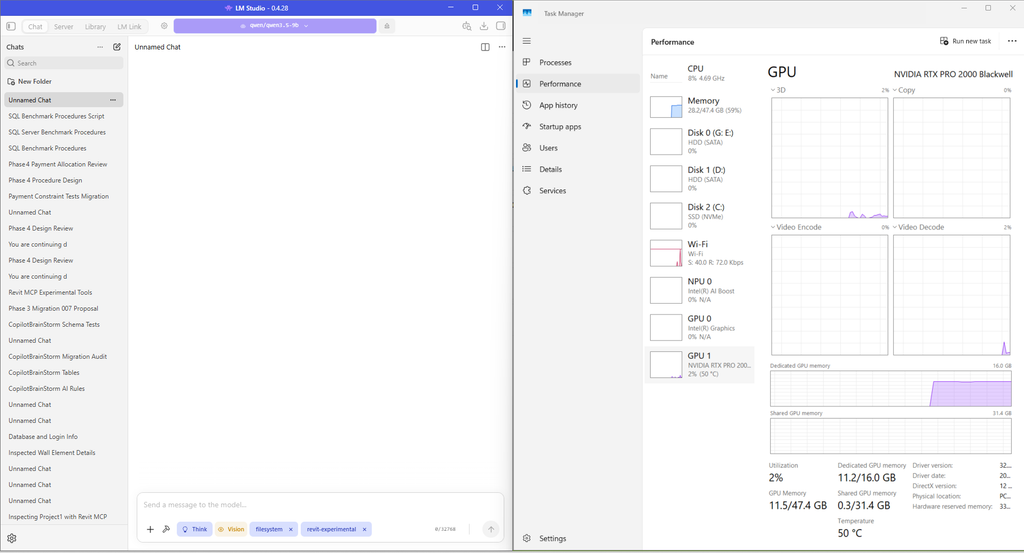
I have selected a wall in Revit which has a Comments property that is empty.
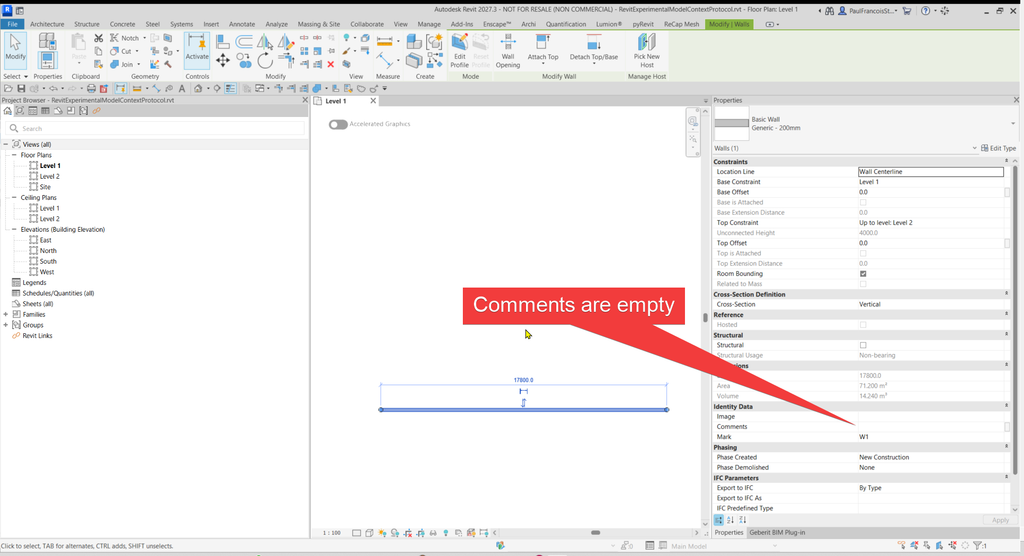
Now let’s ask the question: “Use the actual Revit MCP tools to inspect the element currently selected in Revit. Report its Element ID, category, family/type, and current Comments parameter. Do not modify anything.”.
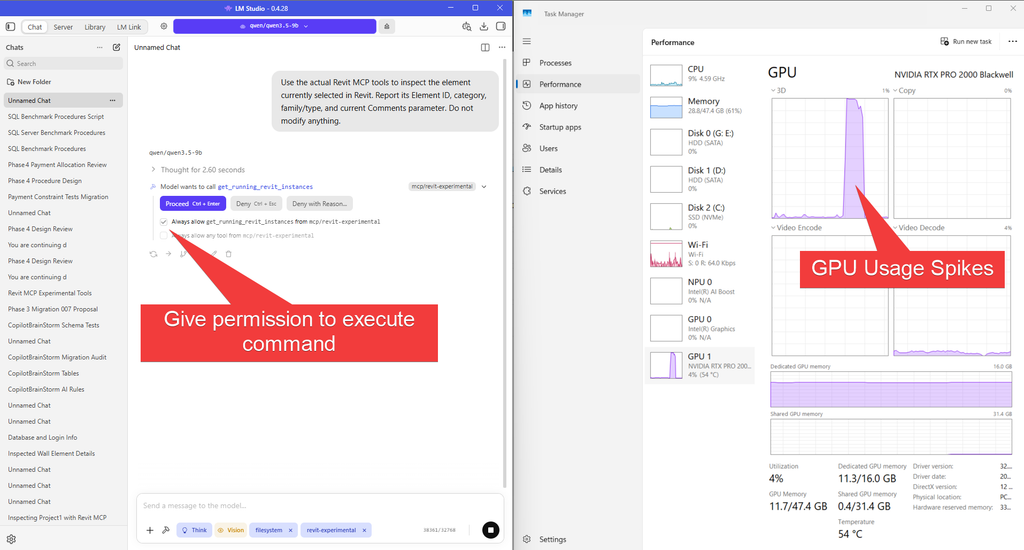
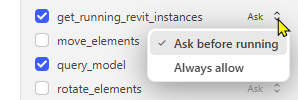
You may want to optionally always authorise a tool.

Furthermore, you can set that on the tool itself. Either for all the tools

or per tool.
The result shows that the AI read the correct information
Now we want to write specific information into the model element.
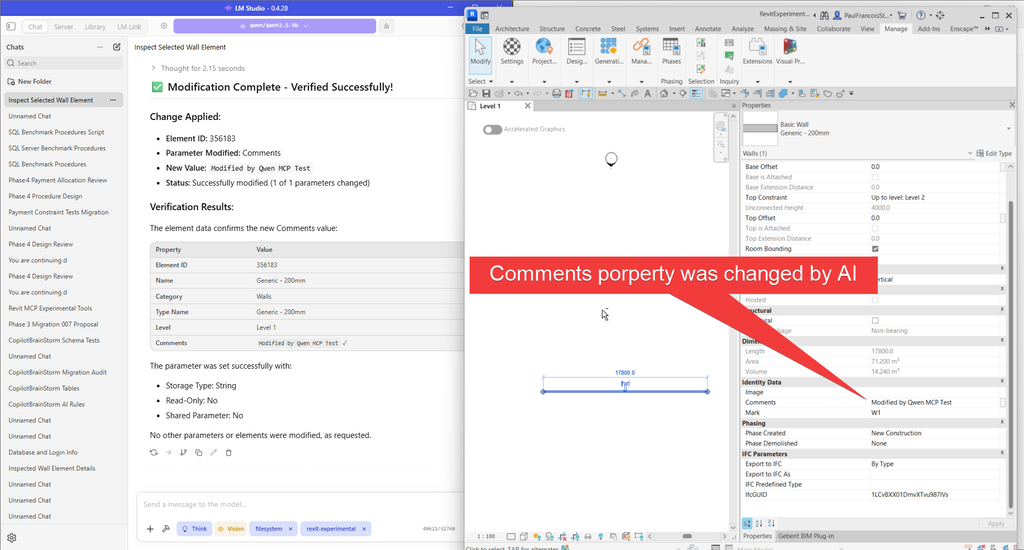
There are many things this first test enabled me to query regarding how automation may proceed going into the future.
The real proof of the technology lies within its application in the industry itself. With artificial intelligence the agility of the programming against the models is going to allow us to adapt very quickly to the demands that are placed on us by industry.
While it is still early days, it is my opinion that AI technology enables me to operate at what previously felt like a genius level of programming capability, not because AI suddenly increases my intelligence, but because the program architecture and language syntax are being developed for me by AI while I direct the program to perform as expected. I am becoming more like somebody who oversees an office of programmers, as opposed to somebody who must painfully and slowly learn every API and computer language before being able to test an idea.
Usually, a question would be asked: “Is something possible?”
My answer would be: “I don’t know. I’ll have to test.”
The follow-up question with that would be: “How long it would take:”
My answer would be: “How long is a piece of string?”
Now I could potentially say: “Give me a few hours and I’ll give you a good estimation as to whether it’s possible. Then I will advise you on whether the solution would take a few hours, or maybe a day.”
In comparison that could easily compare to a week’s worth of research and programming and another week’s worth of development before an acceptable solution would have been found. In addition to that, there would have been countless forum posts and interactions and waiting and to-and-fro that I no longer need to participate in since the artificial intelligence advises me rather well.
One of the ideas is to program my own Model Context Protocol (MCP) implementation so that I can expose specific commands within the Revit API through routines that I have programmed beforehand. I would use my own MCP the same way as the Revit MCP in that I would use co-pilot structure exact instructions for the large language model to execute against my system and within Revit.
While I have not tested this yet, I believe a Revit Add-In would allow me to gain access to functionality that would not otherwise be practical from a model context protocol operating entirely outside Revit. Essentially, the Add-In would contain the procedures that operate inside Revit, while the external AI and MCP layer would determine which procedures to call and with what parameters.
So, basically, the Add-In has the procedures, and I call them from outside to execute within the model.
This is one of the more exciting things that I want to investigate over my Christmas holidays, and I am looking forward to it eagerly. I also hope to have access to the cloud API soon so that I can see how that performs in contrast to models being accessed on a LAN.
You may think that it is possible to run “Jarvis from Ironman” if you have a nice graphics card like mine, but the unfortunate reality is that the computational requirements are much bigger than what our current personal computers have to offer.
A Jarvis-like interface is only possible once you subscribe to cloud services and extra AI tokens. As you go over the weekly or monthly limit this can rather expensive.
However, there is a lot of potential to let something like copilot to interpret what you would like the local LLM to perform on your behalf, formulate the instructions, and validate those instructions before they are passed to the Model Context Protocol for execution.
A good way of doing that may be to establish a library of logic and operational protocols that an LLM running locally must read before attempting to instruct the MCP.
In other words, imagine a “Jarvis” that needs to read its instruction book before it attempts to execute your commands.
Copilot could then help us develop and maintain that instruction book and, where appropriate, examine the instructions produced by the local LLM before those instructions are allowed to execute against the model.
Ultimately, the buck stops with us.
We must take responsibility for whatever the LLM executes. I personally am not comfortable allowing a locally running LLM unrestricted authority to modify a production Revit model without safeguards. I would much rather have Copilot looking over its shoulder, with myself ultimately making the call as to what is allowed to execute.
That, to me, is probably one of the most important lessons from this first experiment. Artificial intelligence does not remove responsibility from the person operating the system. What it does is dramatically increase the speed at which that person can investigate, develop, test, and implement an idea.
If you need help adopting the AEC Collection or Autodesk Forma in your practice or you are looking to invest in hardware, please contact Micrographics so that we may be of assistance.

