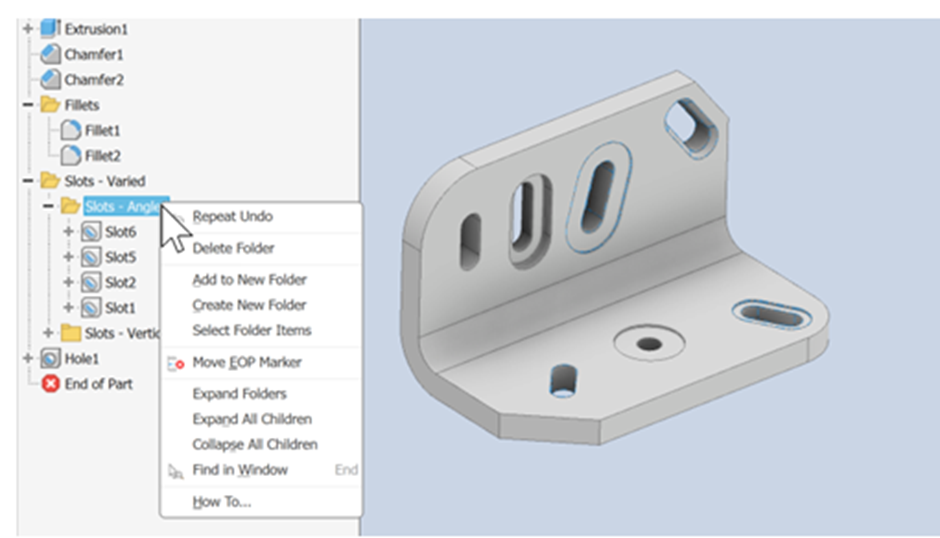
Inventor 2027 introduces several powerful improvements to placed features, sheet metal workflows, and browser organisation. These enhancements are designed to improve modelling flexibility, simplify feature management, and provide users with better control during the design process.

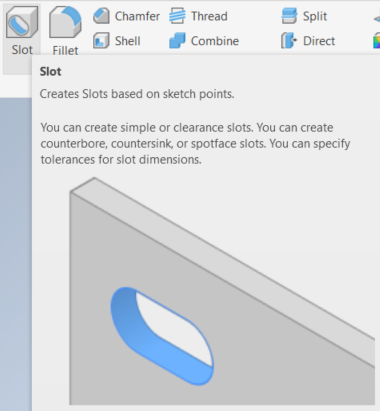
One of the major updates in Inventor 2027 focuses on placed feature enhancements, particularly with slots and holes. Autodesk has expanded the capabilities of slot creation, giving users more control and flexibility when designing manufacturing-ready components.
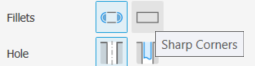
Users can now create slots with either Fillets or Sharp Corner options. This allows designers to quickly choose the most suitable slot style depending on manufacturing requirements or design intent. Whether the design requires smooth, rounded ends or sharp-edged geometry, the updated slot tools provide improved customisation.
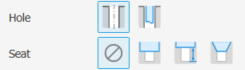
Inventor introduces support for both Simple and Clearance Hole slot options and expands seat type options for slots and holes. Supported seat types now include counterbore, spot face, and countersink configurations.
Another useful addition is improved Direction controls. Users can now define slot orientation relative to faces or edges, making feature placement more predictable and precise. This enhancement helps simplify the positioning process when working with angled surfaces or complex geometry.
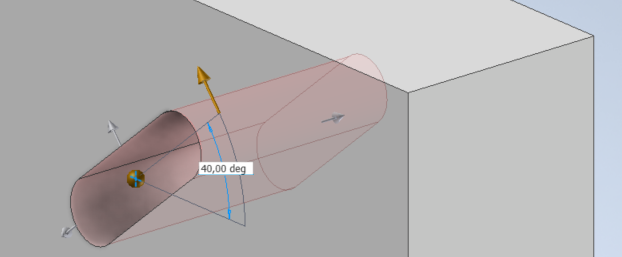
The updated Rotation controls further improve slot placement flexibility. Users can orient slots at a specific angle using reference geometry or by selecting a linear edge or face. This provides greater design accuracy and reduces the need for additional sketches or construction geometry when creating angled features.
Another valuable improvement is the integration of slots with Insert and iMate constraints. This enhancement improves assembly workflows by allowing slots to interact more intelligently with constrained components and fasteners.
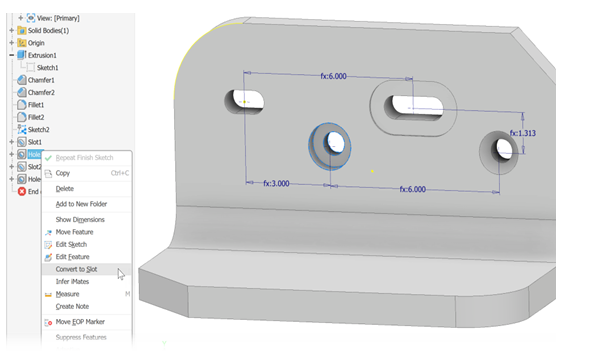
One of the most practical new features is the ability to convert holes into slots. With the new Slots enhancements, users can simply right-click a hole feature in the browser and select “Convert to Slot.” Alternatively, users can set the selection priority to Features, right-click a hole directly in the canvas, and choose “Convert to Slot.” This greatly simplifies design changes and eliminates the need to recreate geometry from scratch when modifications are required.
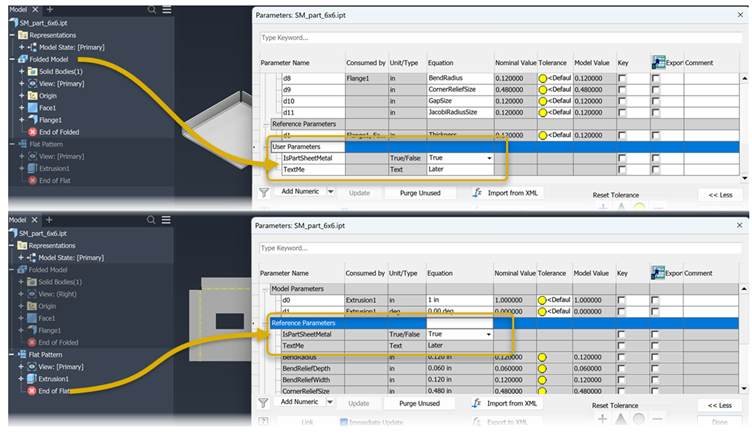
In addition to placing feature improvements, Autodesk has introduced important enhancements to the Sheet Metal environment. Boolean and text parameters are now supported in Sheet Metal Flat Pattern mode, expanding the flexibility of parameter-driven workflows. This allows users to apply more advanced automation and control while working with flattened sheet metal designs.
User parameters are now visible under Reference Parameters while working in Flat Pattern mode. This improves parameter accessibility and gives designers better visibility into the values driving the flat pattern geometry.
Flat Pattern user parameters are only accessible while actively working within the Flat Pattern environment. This helps maintain better organization and prevents unnecessary parameter clutter when working outside flattened sheet metal workflows.
These enhancements provide improved parameter control and consistency during sheet metal design work, especially when creating manufacturing documentation or adjusting flattened geometry for production requirements.
Inventor 2027 is the addition of Part Browser folders. Users can now organise modelling features into folders for better project management and easier navigation within complex parts.
To create a folder, users can simply right-click a feature and select “Add to New Folder.” The folder is automatically created, and the selected feature is placed inside it. This allows designers to group related features together, improving model organisation and readability.
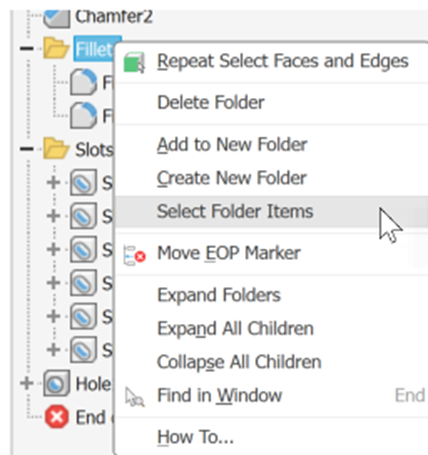
Part folders can also be managed using right-click menu commands, making it easy to rename, move, or organise features as designs evolve. This enhancement is especially useful for large and feature-heavy models where maintaining a clean browser structure is important.
Overall, the placed feature, sheet metal, and browser enhancements in Inventor 2027 deliver greater flexibility, improved organisation, and more efficient workflows for designers and engineers.