
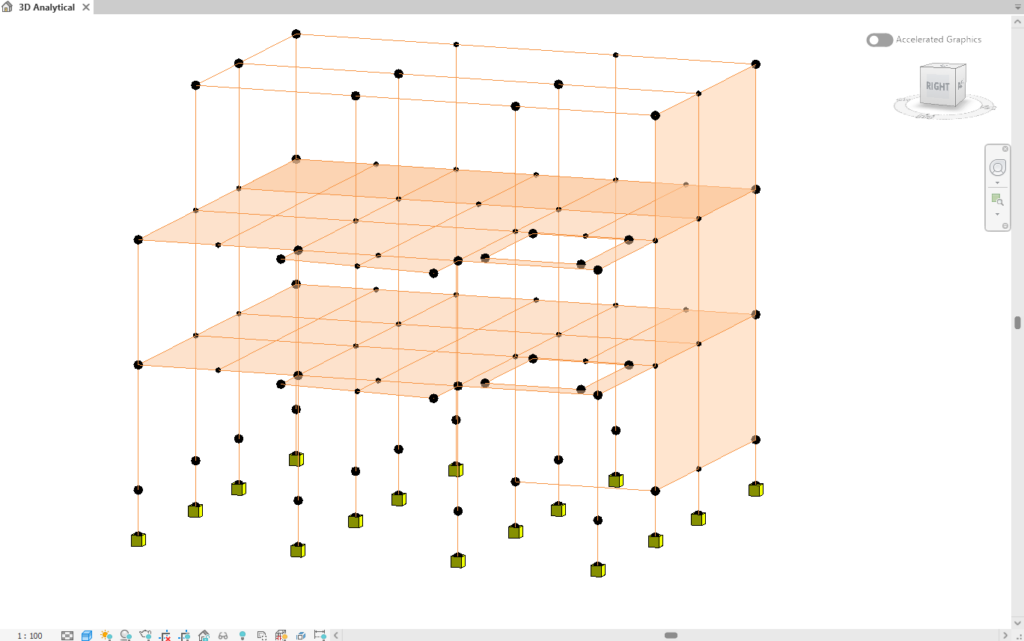
One of the key structural documentation enhancements in Revit 2027 is the improved documentation of Structural Boundary Conditions. This feature enables engineers to better communicate support conditions within analytical models, improving coordination with structural analysis software and increasing confidence in the analytical model before export.
What are Structural Boundary Conditions?
Boundary conditions define how structural elements are restrained or supported within the analytical model. They describe the movement or rotation permitted at supports and connections, which directly affects structural behaviour during analysis.
Common boundary conditions include:
- Fixed supports
- Pinned supports
- Roller supports
- Elastic supports
- User-defined restraints
Properly defining these boundary conditions is essential to ensure that the analytical model accurately represents the intended structural behaviour.
Enhanced Boundary Condition Documentation
Revit 2027 improves the visibility and documentation of analytical boundary conditions by allowing engineers to include them more effectively in project documentation.
Key Improvements
- Boundary condition symbols can be displayed more consistently in analytical views.
- Improved annotation capabilities make support conditions easier to communicate between engineers, BIM coordinators, and other project stakeholders.
- Analytical support conditions are easier to review during model checking.
- Documentation more accurately reflects the analytical model being exported to structural analysis software.
Benefits
- Improved Quality Assurance
- Engineers can visually verify support conditions before exporting the analytical model.
- Better Coordination
- Boundary conditions become easier for multidisciplinary teams to understand during design reviews.
- Reduced Modelling Errors
- Incorrect or missing restraints can be identified earlier, reducing analysis errors.
- Improved Documentation
- Construction documentation and engineering reports now provide a clearer representation of structural supports and restraints.
Typical Workflow
- Create the Physical Structural Model
- Model the structural elements, including beams, columns, slabs, walls, and foundations.
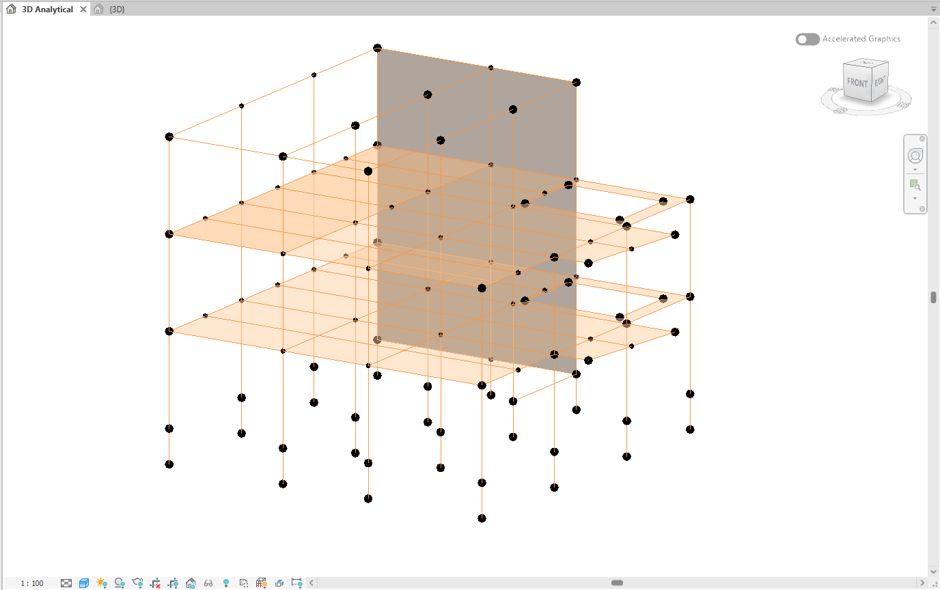
- Generate or update the analytical model.
- Navigate to
- Analyze → Structural Analytical Model → Analytical Automation ▼ → Run Physical to Analytical for Building
- Navigate to
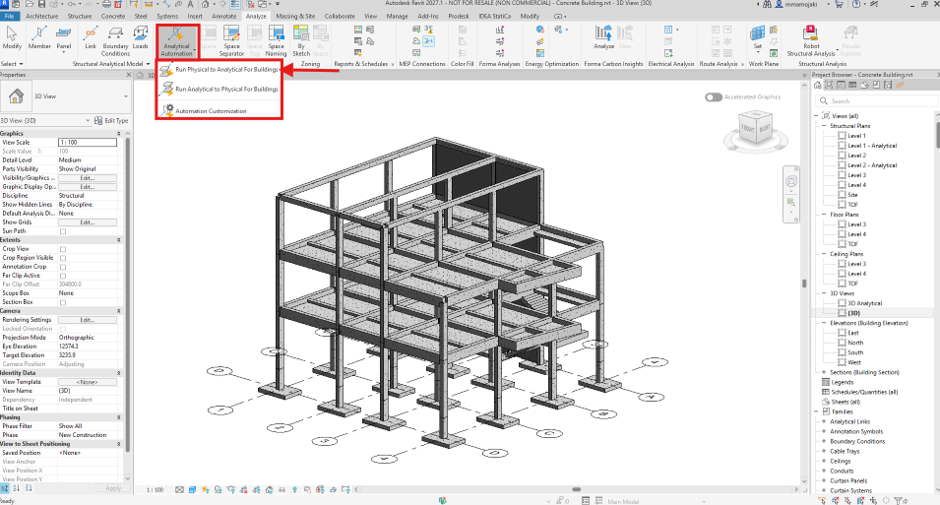
- This command automatically generates or updates the analytical model from the physical model.
- Assign Structural Boundary Conditions
- Navigate to:
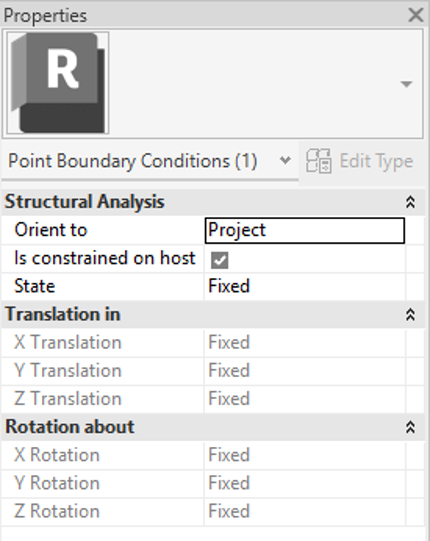
- Analyze → Structural Analytical Model → Boundary Conditions
- Assign the appropriate support conditions to the analytical model, including:
- Fixed Supports
- Pinned Supports
- Roller Supports
- User-Defined Restraints
- Navigate to:
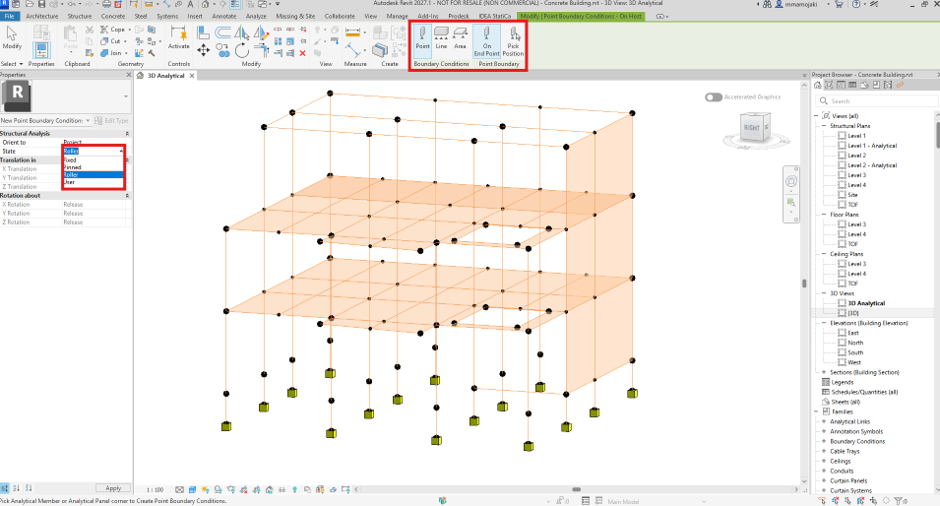
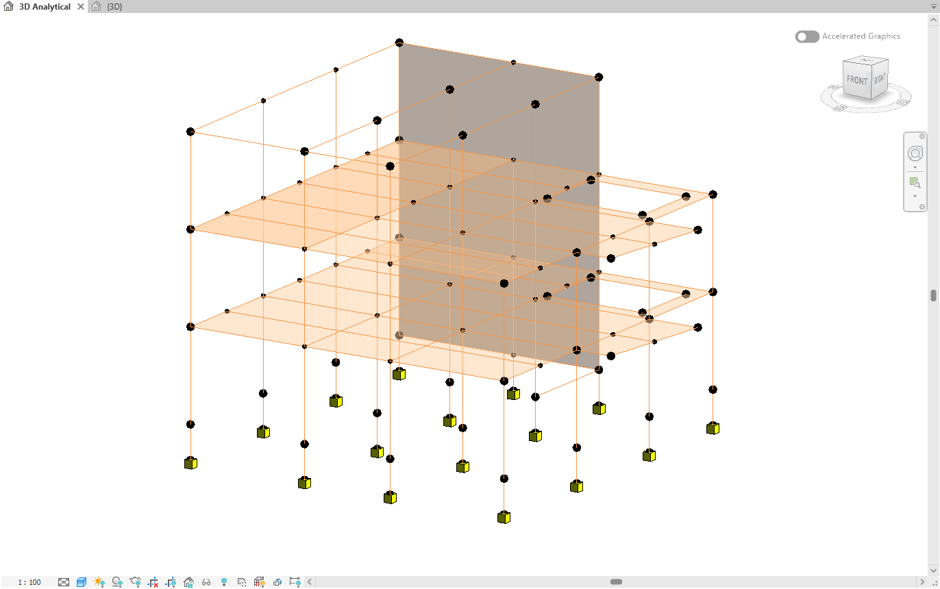
- Display analytical symbols within analytical views.
- Display the analytical symbols within analytical views to verify that all support conditions have been assigned correctly.
- Review the symbols to ensure they accurately represent the intended structural behaviour.
- Review and Document the Model
- Perform a quality assurance review by checking:
- Support locations
- Degrees of restraint
- Analytical connectivity
- Boundary condition annotations
- Ensure the documentation accurately reflects the analytical model
- Perform a quality assurance review by checking:
- Export for Structural Analysis
- Once verified, export the analytical model to structural analysis software such as Prokon SUMO.
- The improved documentation helps ensure that the exported model accurately represents the engineer’s design intent.
Why It Matters
Accurate documentation of structural boundary conditions is essential for ensuring that the analytical model reflects the engineer’s design intent.
By making support conditions more visible and easier to verify, Revit 2027 helps engineers:
- Improve coordination between BIM and structural analysis workflows.
- Reduce modelling and analysis errors.
- Strengthen quality assurance during model reviews.
- Produce clearer engineering documentation.
- Streamline the workflow from BIM modelling to structural analysis in software such as Prokon SUMO.
These enhancements provide greater confidence that the analytical model accurately represents the physical structure, resulting in more reliable structural analysis and better-informed design decisions.

