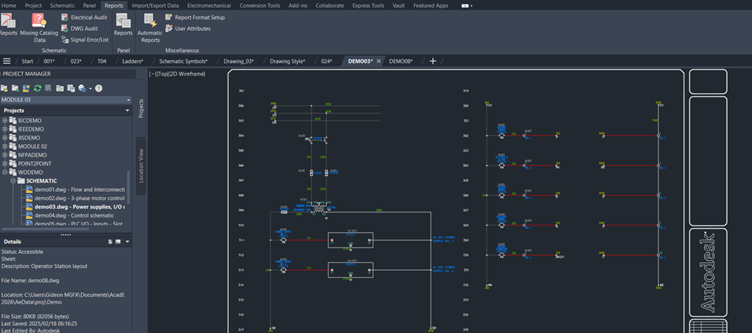
In the modern era of electrical design, efficiency, accuracy, and organisation are paramount. AutoCAD Electrical, a specialised version of Autodesk’s flagship AutoCAD software, provides electrical engineers, designers, and drafters with a comprehensive toolset specifically tailored to the unique demands of electrical control systems. Whether you’re developing control panel layouts, schematics, or terminal plans, AutoCAD Electrical is designed to simplify and streamline your workflow, offering robust tools that boost productivity while ensuring compliance with industry standards. In this overview, we will break down the essential features of AutoCAD Electrical, from schematic symbols to wiring numbers, and discuss how it integrates seamlessly into modern electrical design workflows.

One of the key differences between standard AutoCAD and AutoCAD Electrical lies in their purpose-built features. While AutoCAD provides a flexible general drafting environment, AutoCAD Electrical adds an electrical-specific toolset. For instance, AutoCAD Electrical automates tasks like wire numbering, component tagging, and generating bills of materials—capabilities that would require manual effort in standard AutoCAD. These automated functions not only save time but also minimise errors, ensuring greater accuracy in complex electrical schematics.
In practice, this means that electrical engineers and designers can work more efficiently. They can reuse standard symbols, link components to databases, and automatically generate reports—all within a familiar AutoCAD interface. For common use cases, AutoCAD Electrical shines in the design of control panels, motor control centres, and industrial automation systems. In these environments, the ability to quickly produce ladder diagrams, terminal plans, and detailed schematics is crucial. These designs form the backbone of complex electrical systems, ensuring that every connection is accurately documented and ready for implementation.
In short, the practical benefits are immense: reduced manual labour, improved accuracy, and increased standardisation across projects. AutoCAD Electrical is used by a wide range of industries, from manufacturing to energy, and even in building services. As a result, it helps organisations meet deadlines, comply with industry standards, and deliver high-quality electrical designs that stand up in the field.

What is AutoCAD Electrical?
AutoCAD Electrical is a comprehensive software application that extends the core AutoCAD platform by adding a suite of tools specifically geared toward electrical design. While standard AutoCAD is widely used for general 2D, AutoCAD Electrical is purpose-built to address the needs of electrical control systems. It integrates electrical design tasks into a familiar AutoCAD environment, providing all the essential functionality required for creating electrical schematics, wiring diagrams, and panel layouts.
Key Features of AutoCAD Electrical
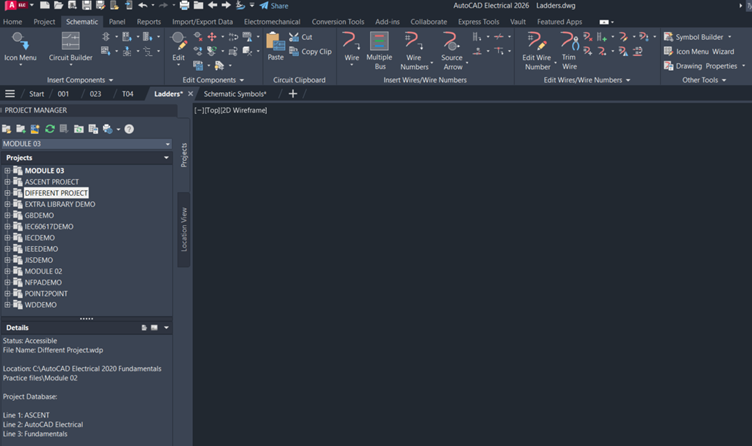
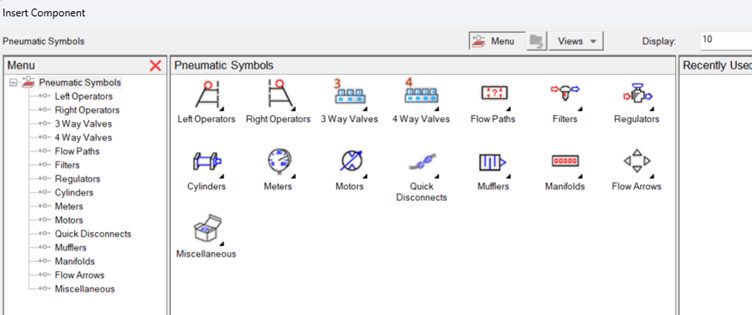
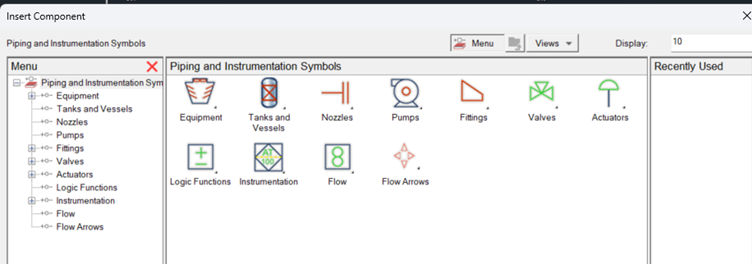
One of the most powerful aspects of AutoCAD Electrical is its rich library of schematic symbols. These symbols are standardized and customizable, enabling designers to represent a wide range of electrical components—such as switches, relays, motors, and circuit breakers—with precision. The library not only saves time by providing ready-to-use symbols but also ensures consistency across projects. In addition, these symbols are linked to intelligent components, meaning that attributes such as ratings, part numbers, and descriptions can be easily edited and tracked.
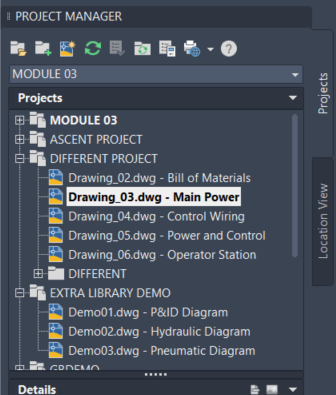
Wiring numbers are another critical component within AutoCAD Electrical. The software automates the process of assigning and managing wire numbers, ensuring that every connection is clearly labelled and traceable. With automatic wire numbering, designers can reduce human error, streamline revisions, and create more organised drawings. This is especially valuable when projects grow in complexity, ensuring that wiring is consistently and accurately documented.
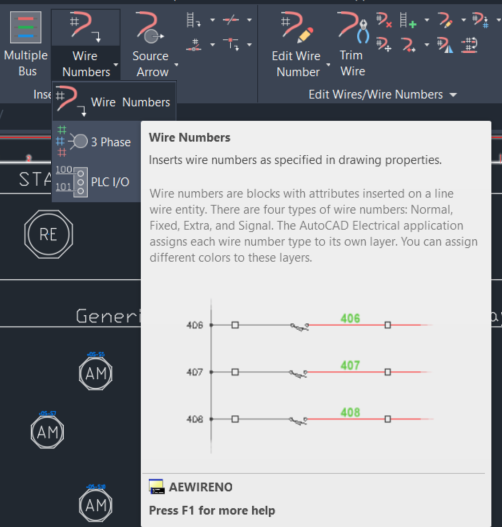
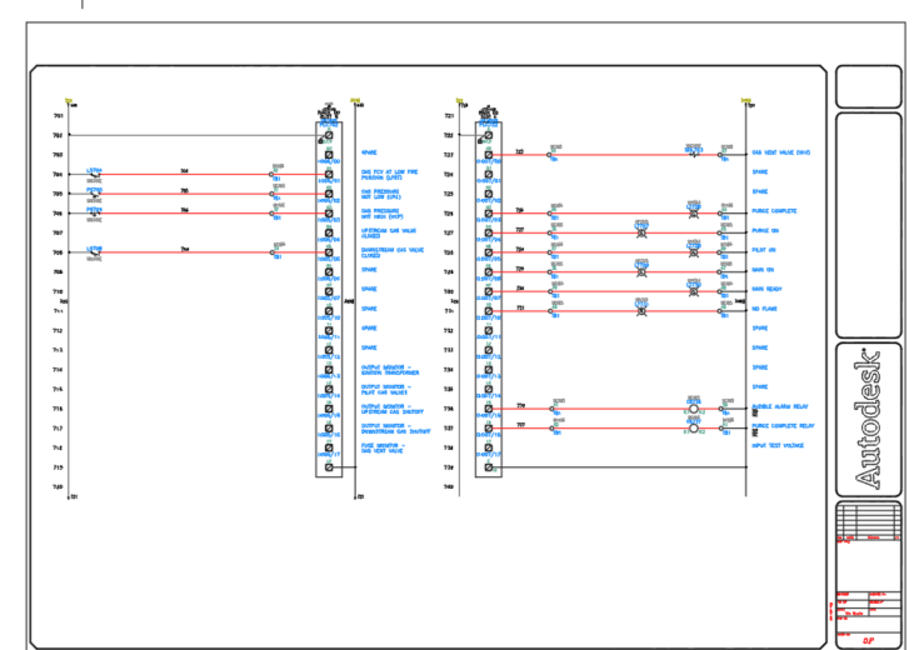
Ladders and ladder diagrams are another integral part of AutoCAD Electrical’s feature set. Ladder diagrams provide a simplified way to visualise control circuits, making it easier to understand how electrical components interact. AutoCAD Electrical allows designers to create ladder rungs, assign devices, and connect them to control circuits. This simplifies the review process and ensures that designs are intuitive, easy to follow, and ready for implementation.
Beyond schematic symbols, wiring numbers, and ladders, AutoCAD Electrical supports robust panel design capabilities. With electrical panel layouts, designers can arrange components and devices in a clear, structured manner, allowing for efficient space management and ease of assembly.
AutoCAD Electrical enables automatic placement of components like relays, contactors, and terminals, ensuring that each component is not only represented visually but also tied to a bill of materials (BOM). With the BOM functionality, AutoCAD Electrical automatically generates parts lists from your drawings, reducing manual data entry and ensuring that all parts and quantities are accounted for. This integration between schematic design and documentation means fewer discrepancies and more streamlined workflows.
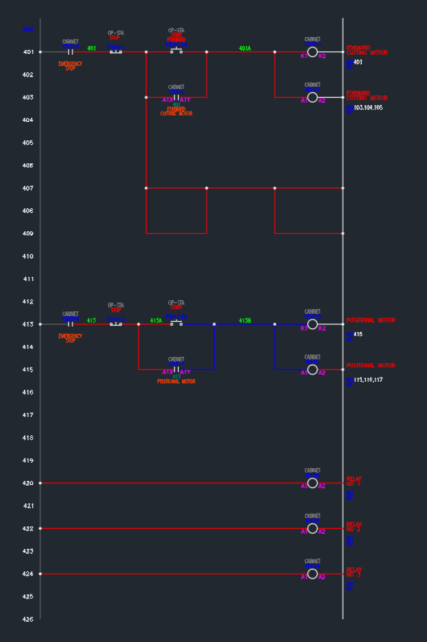
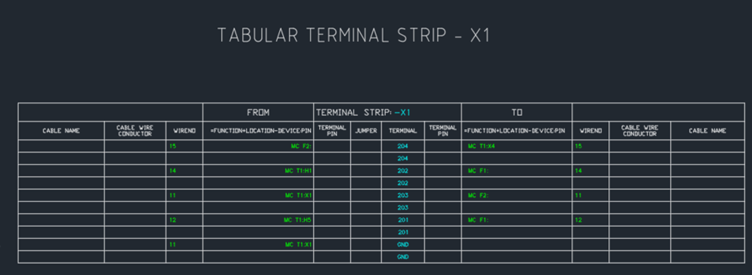
Terminal plans are another essential part of AutoCAD Electrical. Terminal blocks and their connections are clearly defined, allowing designers to create detailed terminal diagrams. This not only helps with the physical assembly but also ensures that field technicians can quickly troubleshoot wiring issues. Terminal plans in AutoCAD Electrical link directly to the schematics and panel layouts, creating a unified design that is easy to manage, modify, and expand.
Beyond these core elements, AutoCAD Electrical is designed to work with industry standards and automation tools. It supports international standards such as IEC, JIC, and ANSI, ensuring that your designs are fully compliant. Furthermore, its integration with PLC (Programmable Logic Controller) tags means that you can easily link your electrical drawings to control logic, bridging the gap between electrical design and automation systems. This tight integration facilitates a smoother transition from design to implementation, ensuring that electrical systems are not only well-designed but also ready for practical deployment.
Another major benefit of AutoCAD Electrical is its ability to integrate with other Autodesk tools and cloud services. Designers can seamlessly import and export data between AutoCAD Electrical and other software such as Revit, enabling multi-discipline coordination. Cloud-based collaboration is also supported, allowing project teams to work together in real-time, regardless of their physical location. This flexibility ensures that teams can stay aligned, share updates, and resolve issues quickly, regardless of the complexity of the project.

In addition, AutoCAD Electrical supports parametric design. Designers can create intelligent symbols with customizable parameters, allowing for rapid adjustments and design modifications. For example, a motor symbol might have parameters for horsepower, voltage, and phase, which can be adjusted dynamically based on project requirements. This parametric approach saves time, increases consistency, and allows for flexible, adaptable designs.

To round out its capabilities, AutoCAD Electrical provides comprehensive reporting and documentation tools. Designers can produce detailed drawings, panel layouts, and schematic sheets, all of which are linked to a central project database. These reports can be customised, exported, and shared, ensuring that all stakeholders have access to the most up-to-date and accurate information. These detailed reports not only improve design transparency but also make it easier for procurement, manufacturing, and assembly teams to follow.
With its vast library of symbols, automated wiring numbers, dynamic panel layouts, and seamless integration with other Autodesk solutions, AutoCAD Electrical helps engineers and designers work faster while reducing errors and improving overall quality. Whether you’re an experienced electrical designer or just starting in the field, this software offers the tools you need to elevate your electrical designs to the next level.
In conclusion, AutoCAD Electrical is far more than just a drafting tool; it is a comprehensive platform that empowers electrical design professionals to create smarter, more efficient, and more accurate designs. By leveraging its vast library of symbols, automated wiring numbers, dynamic panel layouts, and seamless integration with other Autodesk solutions, it not only accelerates design workflows but also elevates the quality of electrical schematics and panel designs. Whether for industrial automation, control systems, or intricate electrical layouts, AutoCAD Electrical stands as a critical asset, bridging the gap between design and implementation and ensuring that every project is delivered with precision and confidence.